Connect your account
1
Configure the provider
Add the required environment variables below to your Posted installation.
2
Sign in to Instagram
A team administrator opens Connections → Add connection, selects
Instagram and signs in with the professional account.
3
Allow access
Approve profile and publishing access. Instagram returns you to Posted and
the account becomes available to your team.
4
Compose your post
Choose the account, add photos or a video and write the caption. Review the
preview, then publish or schedule it.
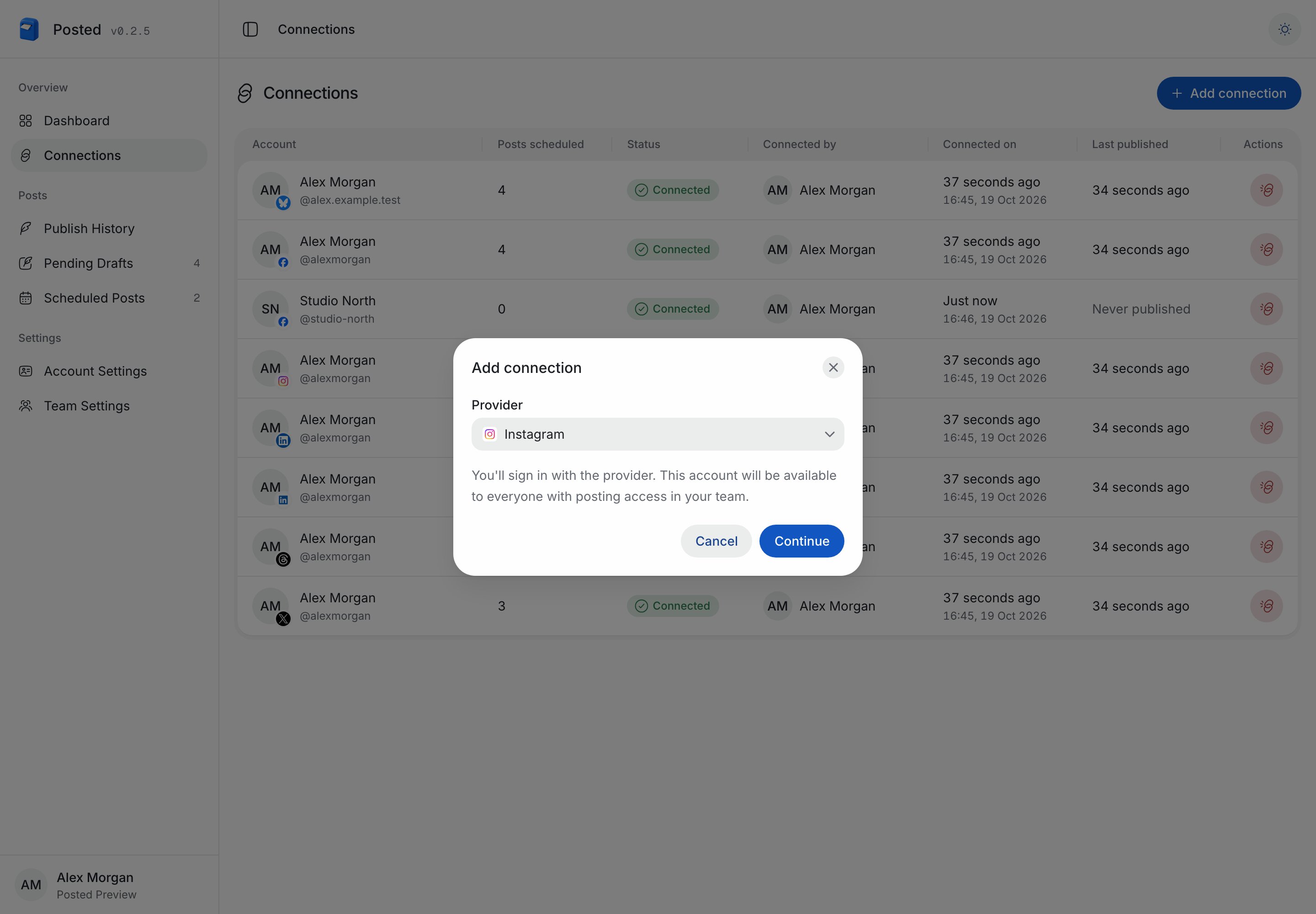
Start an Instagram connection in Posted.
Required environment variables
Use the Instagram App ID and Instagram App Secret shown in your app’s Instagram setup. Add the same values to the API and worker, then restart both services.Set up your Meta app
Open Meta for Developers. Use an app that supports Instagram or create one with the Instagram use case. Configure API setup with Instagram login.1
Add your professional account
Add your Instagram account for testing. Switch a personal account to
Business or Creator in Instagram before connecting it.
2
Set up business login
In Instagram’s business login settings, add the OAuth callback URL below.
Copy the Instagram app credentials into your Posted installation.
3
Configure permissions
Posted requests
instagram_business_basic,
instagram_business_content_publish. Select additional permissions based on
the scope of your Posted use.4
Add lifecycle callbacks
Set the deauthorization and data deletion callbacks to the URLs below.
Posted verifies these requests with the Instagram app secret.
5
Complete access requirements
Standard Access is for professional accounts you own or manage and have
added to the app. Complete Meta’s App Review and Advanced Access
requirements before connecting other accounts.
https://.
OAuth callback URL
Deauthorization callback URL
Data deletion callback URL
What you can publish
Add one photo, up to ten photos in a carousel, or one video Reel. Captions can contain up to 2,200 characters, 30 hashtags and 20 mentions. Each post needs media; text-only posts and standalone link cards are unavailable. Links can remain in captions, but Instagram controls how they appear. Posted prepares photos as JPEGs, removes metadata and crops images outside Instagram’s supported aspect ratios. Instagram can crop carousel photos to match the first photo. Photo descriptions support up to 1,000 characters. GIFs are converted to video Reels. Videos must be between three seconds and 15 minutes and fit Posted’s upload limit. Stories and mixed photo/video carousels are not included in this connection. A sequence becomes separate posts in order. Instagram fetches prepared media through temporary signed URLs; originals remain in your S3 source. Posted waits for processing to finish before publishing and checks the account’s publishing quota. An uncertain publishing result stays blocked to avoid duplicates. See Publishing across accounts for shared workflows, reconnecting and troubleshooting. Posted uses Graph APIv26.0; see Meta’s Instagram login and content publishing guides for provider requirements.